LESS - 注释
说明
注释使代码对用户清晰易懂。你可以在代码中使用块注释和行内注释,但编译 LESS 代码时,单行注释不会出现在 CSS 文件中。
示例
以下示例演示了在 LESS 文件中使用注释 −
<html>
   <head>
      <title>Less Comments</title>
      <link rel = "stylesheet" type = "text/css" href = "style.css" />
   </head>

   <body>
      <h1>Example using Comments</h1>
      <p class = "myclass">LESS enables customizable,
      manageable and reusable style sheet for web site.</p>
      <p class = "myclass1">It allows reusing CSS code and
      writing LESS code with same semantics.</p>
   </body>
</html>
现在创建 style.less 文件。
style.less
/* 它显示
绿色! */
.myclass {
   color: green;
}

// 它显示蓝色
.myclass1 {
   color: red;
}
你可以使用以下命令将 style.less 文件编译为 style.css −
lessc style.less style.css
现在执行上述命令;它将自动创建 style.css 文件,内容如下 −
style.css
/* It displays the
green color! */
.myclass {
   color: green;
}

.myclass1 {
   color: red;
}
输出
按照以下步骤查看上述代码如何工作 −
将上述 HTML 代码保存到 comments.html 文件中。
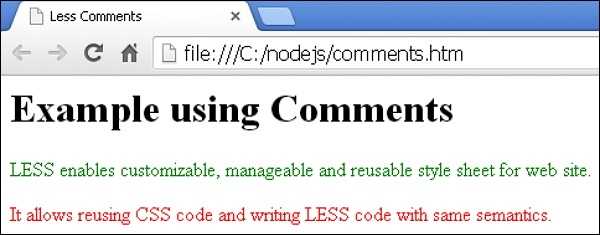
在浏览器中打开此 HTML 文件,将显示以下输出。