VueJS - 渲染函数
我们已经了解了组件及其用法。例如,我们有一个需要在项目中复用的内容。我们可以将它转换为一个组件并使用。
让我们来看一个简单组件的示例,并了解其中的 render function 的作用。
示例
<html>
   <head>
      <title>VueJs Instance</title>
      <script type = "text/javascript" src = "js/vue.js"></script>
   </head>
   <body>
      <div id = "component_test">
         <testcomponent></testcomponent>
      </div>
      <script type = "text/javascript">
         Vue.component('testcomponent',{
            template : '<h1>Hello World</h1>',
            data: function() {
            },
            methods:{
            }
         });
         var vm = new Vue({
            el: '#component_test'
         });
      </script>
   </body>
</html>
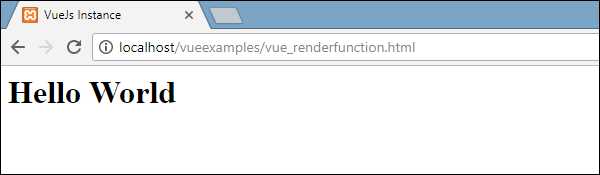
考虑上述简单组件的示例,它会打印 Hello World,如以下截图所示。
现在,如果我们想复用该组件,只需再次打印它即可。例如,
<div id = "component_test">
   <testcomponent></testcomponent>
   <testcomponent></testcomponent>
   <testcomponent></testcomponent>
   <testcomponent></testcomponent>
</div>
输出结果如下所示。
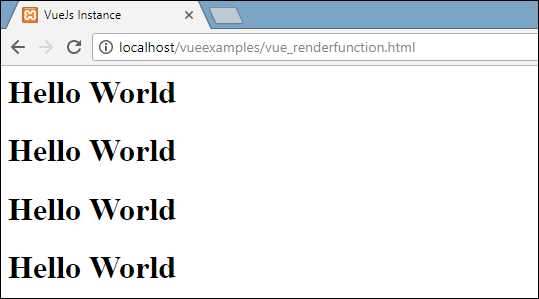
然而,现在我们需要对组件进行一些更改。我们不希望打印相同的文本。如何更改它?如果我们在组件内部输入一些内容,它会被考虑在内吗?
让我们考虑以下示例,看看会发生什么。
<div id = "component_test">
   <testcomponent>Hello Jai</testcomponent>
   <testcomponent>Hello Roy</testcomponent>
   <testcomponent>Hello Ria</testcomponent>
   <testcomponent>Hello Ben</testcomponent>
</div>
输出结果与之前看到的相同。它不会按照我们的意愿更改文本。
组件提供了名为 slots 的功能。让我们利用它,看看是否能得到预期的结果。
示例
<html>
   <head>
      <title>VueJs Instance</title>
      <script type = "text/javascript" src = "js/vue.js"></script>
   </head>
   <body>
      <div id = "component_test">
         <testcomponent>Hello Jai</testcomponent>
         <testcomponent>Hello Roy</testcomponent>
         <testcomponent>Hello Ria</testcomponent>
         <testcomponent>Hello Ben</testcomponent>
      </div>
      <script type = "text/javascript">
         Vue.component('testcomponent',{
            template : '<h1><slot></slot></h1>',
            data: function() {
            },
            methods:{
            }
         });
         var vm = new Vue({
            el: '#component_test'
         });
      </script>
   </body>
</html>
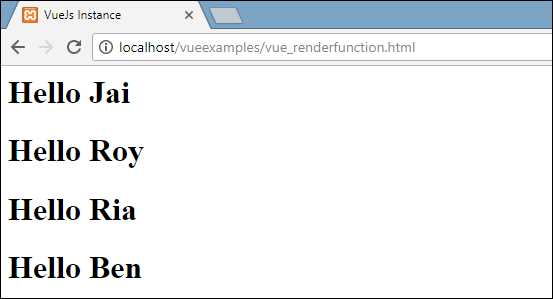
如上述代码所示,在 template 中添加了 slot,因此现在它会接受发送到组件内部的值,如以下截图所示。
现在,假设我们想更改颜色和大小。例如,目前我们使用 h1 标签,但想将 HTML 标签更改为 p 标签或 div 标签,用于同一个组件。如何具备进行如此多更改的灵活性?
我们可以通过 render function 来实现。Render function 有助于使组件动态化,并以所需方式使用它,同时保持其通用性,并通过同一个组件传递参数。
示例
<html>
   <head>
      <title>VueJs Instance</title>
      <script type = "text/javascript" src = "js/vue.js"></script>
   </head>
   <body>
      <div id = "component_test">
         <testcomponent :elementtype = "'div,red,25,div1'">Hello Jai</testcomponent>
         <testcomponent :elementtype = "'h3,green,25,h3tag'">Hello Roy</testcomponent>
         <testcomponent :elementtype = "'p,blue,25,ptag'">Hello Ria</testcomponent>
         <testcomponent :elementtype = "'div,green,25,divtag'">Hello Ben</testcomponent>
      </div>
      <script type = "text/javascript">
         Vue.component('testcomponent',{
            render :function(createElement){
               var a = this.elementtype.split(",");
               return createElement(a[0],{
                  attrs:{
                     id:a[3],
                     style:"color:"+a[1]+";font-size:"+a[2]+";"
                  }
               },
               this.$slots.default
               )
            },
            props:{
               elementtype:{
                  attributes:String,
                  required:true
               }
            }
         });
         var vm = new Vue({
            el: '#component_test'
         });
      </script>
   </body>
</html>
在上面的代码中,我们修改了组件,并使用以下代码片段添加了带有 props 属性的 render function。
Vue.component('testcomponent',{
   render :function(createElement){
      var a = this.elementtype.split(",");
      return createElement(a[0],{
         attrs:{
            id:a[3],
            style:"color:"+a[1]+";font-size:"+a[2]+";"
         }
      },
      this.$slots.default
      )
   },
   props:{
      elementtype:{
         attributes:String,
         required:true
      }
   }
});
props 的定义如下所示。
props:{
   elementtype:{
      attributes:String,
      required:true
   }
}
我们定义了一个名为 elementtype 的属性,它接受类型为 string 的 attributes 字段。另一个 required 字段,表示该字段是必填的。
在 render function 中,我们使用了 elementtype 属性,如以下代码片段所示。
render :function(createElement){
   var a = this.elementtype.split(",");
   return createElement(a[0],{
      attrs:{
         id:a[3],
         style:"color:"+a[1]+";font-size:"+a[2]+";"
      }
   },
   this.$slots.default
   )
}
Render function 接受 createElement 作为参数并返回它。createElement 以与 JavaScript 相同的方式创建 DOM 元素。我们还将 elementtype 按逗号分割,并使用这些值填充 attrs 字段。
createElement 的第一个参数是要创建的 element tag。它通过以下代码片段传递给组件。
<testcomponent :elementtype = "'div,red,25,div1'">Hello Jai</testcomponent>
组件需要接收如上所示的 props 字段。它以 : 开头,后跟 props 的名称。在这里,我们传递了 element tag、color、fontsize 和 element 的 id。
在 render function 的 createElement 中,我们按逗号分割,因此第一个元素是 element tag,如以下代码片段所示传递给 createElement。
return createElement(
   a[0],{
      attrs:{
         id:a[3],
         style:"color:"+a[1]+";font-size:"+a[2]+";"
      }
   },
   this.$slots.default
)
a[0] 是 HTML element tag。下一个参数是 element tag 的 attributes。它们在以下代码片段的 attr 字段中定义。
attrs:{
   id:a[3],
   style:"color:"+a[1]+";font-size:"+a[2]+";"
}
我们为 element tag 定义了两个 attributes —— id 和 style。对于 id,我们传递 a[3],这是按逗号分割后的值。使用 style,我们定义了 color 和 fontsize。
最后一个是 slot,即我们在组件中提供的消息,如以下代码片段所示。
<testcomponent :elementtype = "'div,red,25,div1'">Hello Jai</testcomponent>
我们使用以下代码片段在 createElement 中定义了要打印的文本。
this.$slots.default
它获取组件字段中分配的默认 slot。
以下是在浏览器中得到的输出。
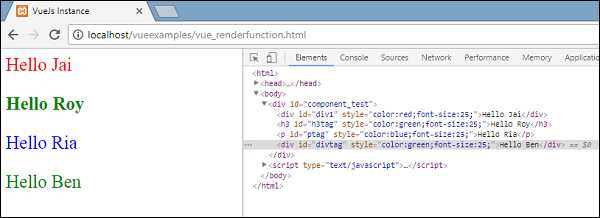
元素还显示了结构。这些是我们定义的组件 ——
<div id = "component_test">
   <testcomponent :elementtype = "'div,red,25,div1'">Hello Jai</testcomponent>
   <testcomponent :elementtype = "'h3,green,25,h3tag'">Hello Roy</testcomponent>
   <testcomponent :elementtype = "'p,blue,25,ptag'">Hello Ria</testcomponent>
   <testcomponent :elementtype = "'div,green,25,divtag'">Hello Ben</testcomponent>
</div>