Angular - 多插槽内容投影
Angular 还允许在组件中投影多个内容,这被称为 multi-slot content projection。
示例 - 多插槽内容投影
让我们通过创建上面解释的组件来理解内容投影。
步骤 1: 使用以下命令创建一个 projectionSample 应用:
ng new projectionSample
步骤 2: 导航到项目文件夹并创建一个名为 content-projection-sample 的新组件:
cd projectSample

ng generate component content-projection-sample
CREATE src/app/content-projection-sample/content-projection-sample.spec.ts (675 bytes)
CREATE src/app/content-projection-sample/content-projection-sample.ts (271 bytes)
CREATE src/app/content-projection-sample/content-projection-sample.css (0 bytes)
CREATE src/app/content-projection-sample/content-projection-sample.html (41 bytes)
步骤 3: 在组件模板 content-projection-sample.html 中添加 <ng-content> 以及 selector 属性,如下所示:
content-projection-sample.html
<p>This is content from the component template</p>
<ng-content></ng-content>
<p>This is another content from component template</p>
<ng-content select="[second]"></ng-content>
步骤 4: 更新 app 组件模板 app.html,如下所示:
app.html
<app-content-projection-sample>
   <p>This is external content</p>
   <p second>This is yet another external content</p>
</app-content-projection-sample>

<router-outlet></router-outlet>
在这里,组件模板中设置的 selector 属性值 (second) 用于要投影的内容。
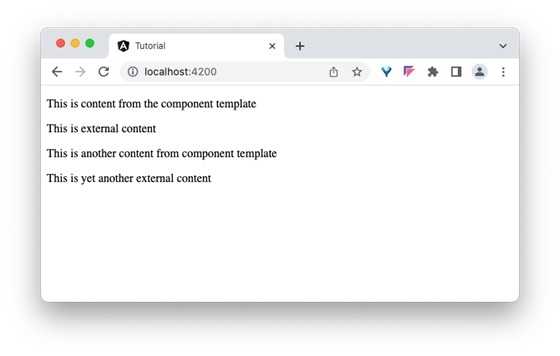
输出
步骤 3: 现在,运行应用并查看输出。