React - Web Components
React 和 web components 可以在 Web 应用中混合使用。一个 React component 可以包含一个或多个 web component,而一个 web component 也可以使用 React component 来创建其内容。React 支持这两种选项。
在 React 应用中使用 Web Components
让我们创建一个 web component,然后尝试在 React 应用中应用它。首先,创建一个新的 React 应用并使用以下命令启动它。
create-react-app myapp
cd myapp
npm start
接下来,打开 App.css (src/App.css) 并删除所有 CSS 类。
// 删除所有 css 类
接下来,创建一个简单的 web component,HelloMessage (public/WebComponents/HelloMessage.js) 并添加以下代码。该 web component 的目的是欢迎用户(通过在 web component 的 name 属性中指定用户名)。
// web component
class HelloMessage extends HTMLElement {
   constructor() {
      super();
      this.name = 'Folks';
   }
   static get observedAttributes() {
      return ['name'];
   }
   attributeChangedCallback(property, oldValue, newValue) {
      if (oldValue === newValue) return;
      this[property] = newValue;
   }
   connectedCallback() {
      this.textContent = `Hello ${this.name}!`;
   }
}
customElements.define('hello-message', HelloMessage);
在这里,
connectedCallback() 用于创建 web component 的内容。
observedAttributes function 用于访问 name 属性。
attributeChangedCallback function 用于在应用中 name 属性发生变化时更新其值。
customElements.define 用于将创建的 web component 与 web 文档中的标签名关联。
接下来,打开 index.html (public/index.html) 文件并按以下方式添加 web component −
<!DOCTYPE html>
<html lang="en">
   <head>
      <link rel="icon" href="%PUBLIC_URL%/favicon.ico" />
      <link rel="apple-touch-icon" href="%PUBLIC_URL%/logo192.png" />
      <link rel="manifest" href="%PUBLIC_URL%/manifest.json" />
      <script src="%PUBLIC_URL%/WebComponents/HelloMessage.js"></script>
   </head>
   <body>
      <noscript>You need to enable JavaScript to run this app.</noscript>
      <div style="padding: 10px;">
         <div id="root"></div>
         <div style="padding: 10px;">
            <hello-message name="John"></hello-message>
         </div>
      </div>
   </body>
</html>
在这里,我们有,
在 head 部分包含了 web component
在页面中使用 hello-message web component 来展示其用法
接下来,创建一个简单的组件,SimpleWebComponent (src/Components/SimpleWebComponent.js) 并按以下方式渲染新创建的 web component −
import React from "react";
class SimpleWebComponent extends React.Component {
   constructor(props) {
      super(props)
   }
   render() {
      return (
         <hello-message name="Peter"></hello-message>
      );
   }
}
export default SimpleWebComponent;
在这里,web component hello-message 在组件的 render 方法中使用。
接下来,打开 App 组件 (src/App.js),并按以下方式使用 SimpleWebComponent 组件 −
import './App.css'
import React from 'react';
import SimpleWebComponent from './Components/SimpleWebComponent'
function App() {
   return (
      <div className="container">
         <div style={{ padding: "10px" }}>
            <div>
               <SimpleWebComponent />
            </div>
         </div>
      </div>
   );
}
export default App;
在这里,我们有,
从 react 包中导入了 SimpleWebComponent 组件
使用了 SimpleWebComponent 组件并渲染了 hello web component
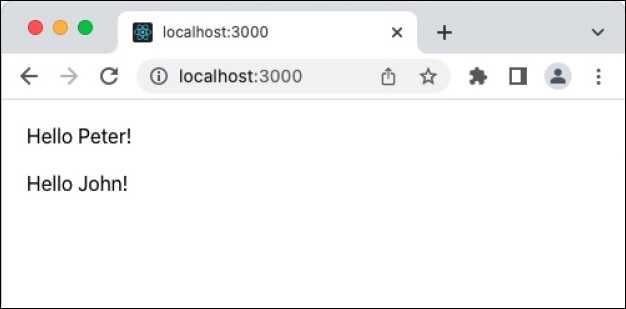
最后,在浏览器中打开应用并查看最终结果。
总结
React 和 web component 相辅相成。两者各有优缺点,可以通过分析其相对于应用的优缺点,在单个应用中使用。