React - 表单
在本章中,我们将学习如何在 React 中使用表单。
简单示例
在下面的示例中,我们将为输入表单设置 value = {this.state.data}。这允许在输入值更改时更新 state。我们使用 onChange 事件来监视输入变化并相应地更新 state。
App.js
import React from 'react';

class App extends React.Component {
   constructor(props) {
      super(props);

      this.state = {
         data: 'Initial data...'
      }
   };
   updateState(e) {
      this.setState({data: e.target.value});
   }
   render() {
      return (
         <div>
            <input type = "text" value = {this.state.data}
               onChange = {this.updateState} />
            <h4>{this.state.data}</h4>
         </div>
      );
   }
}
export default App;
index.js
import React from 'react';
import { createRoot } from 'react-dom/client';
import "bootstrap/dist/css/bootstrap.min.css";
import App from './components/App';

const container = document.getElementById('root');
const root = createRoot(container);
root.render(<App /gt;);
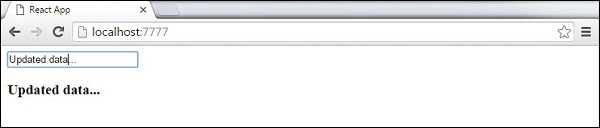
当输入文本值更改时,state 将被更新。
复杂示例
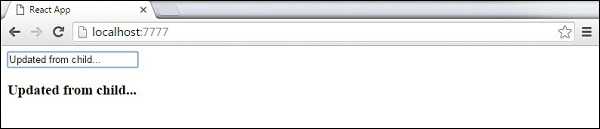
在下面的示例中,我们将看到如何从子组件使用表单。onChange 方法将触发 state 更新,该更新将被传递给子输入的 value 并在屏幕上渲染。类似示例在 Events 章节中使用。每当需要从子组件更新 state 时,我们需要将处理更新的函数(updateState)作为 prop(updateStateProp)传递。
App.jsx
import React from 'react';

class App extends React.Component {
   constructor(props) {
      super(props);

      this.state = {
         data: 'Initial data...'
      }
      this.updateState = this.updateState.bind(this);
   };
   updateState(e) {
      this.setState({data: e.target.value});
   }
   render() {
      return (
         <div>
            <Content myDataProp = {this.state.data}
               updateStateProp = {this.updateState}></Content>
         </div>
      );
   }
}
class Content extends React.Component {
   render() {
      return (
         <div>
            <input type = "text" value = {this.props.myDataProp}
               onChange = {this.props.updateStateProp} />
            <h3>{this.props.myDataProp}</h3>
         </div>
      );
   }
}
export default App;
index.js
import React from 'react';
import { createRoot } from 'react-dom/client';
import "bootstrap/dist/css/bootstrap.min.css";
import App from './components/App';

const container = document.getElementById('root');
const root = createRoot(container);
root.render(<App /gt;);
这将产生以下结果。
reactjs_form.htm